Turn your living room into a cocktail bar
The best cocktail bars aren't great because of the room. They're great because someone decided every detail on purpose: where the bottles live, how the light falls, what the menu says. All three of those decisions are available to you, tonight, in the living room you already have.
Here's the setup, from cart to screen.
The bar station: one surface, arranged like you mean it
A bar cart is lovely; a cleared side table works exactly as well. What matters is that it's a station, not storage:
- Working zone in front: shaker, jigger, strainer, spoon, cutting board. Tools you touch every drink stay within reach. (The full kit is in our home bar guide.)
- Bottles behind, labels out. Facing labels forward isn't vanity, it's speed, and it reads instantly as "a bar" rather than "a shelf."
- Ice gets its own bowl with a scoop. The freezer run mid-drink is the amateur tell.
- A towel, hanging. Bars are wet. Every professional station has one; yours should too.
Light it like a bar, not a kitchen
Overhead lighting is the enemy of atmosphere. Three cheap moves change the whole room: turn the ceiling lights off or way down, put one warm lamp near the bar station so the making of drinks becomes the visual center, and add one string of warm lights or candles at eye level. Backlit bottles, if your shelf allows it, are the oldest trick in bar design and still the best one.
Put your menu on the TV
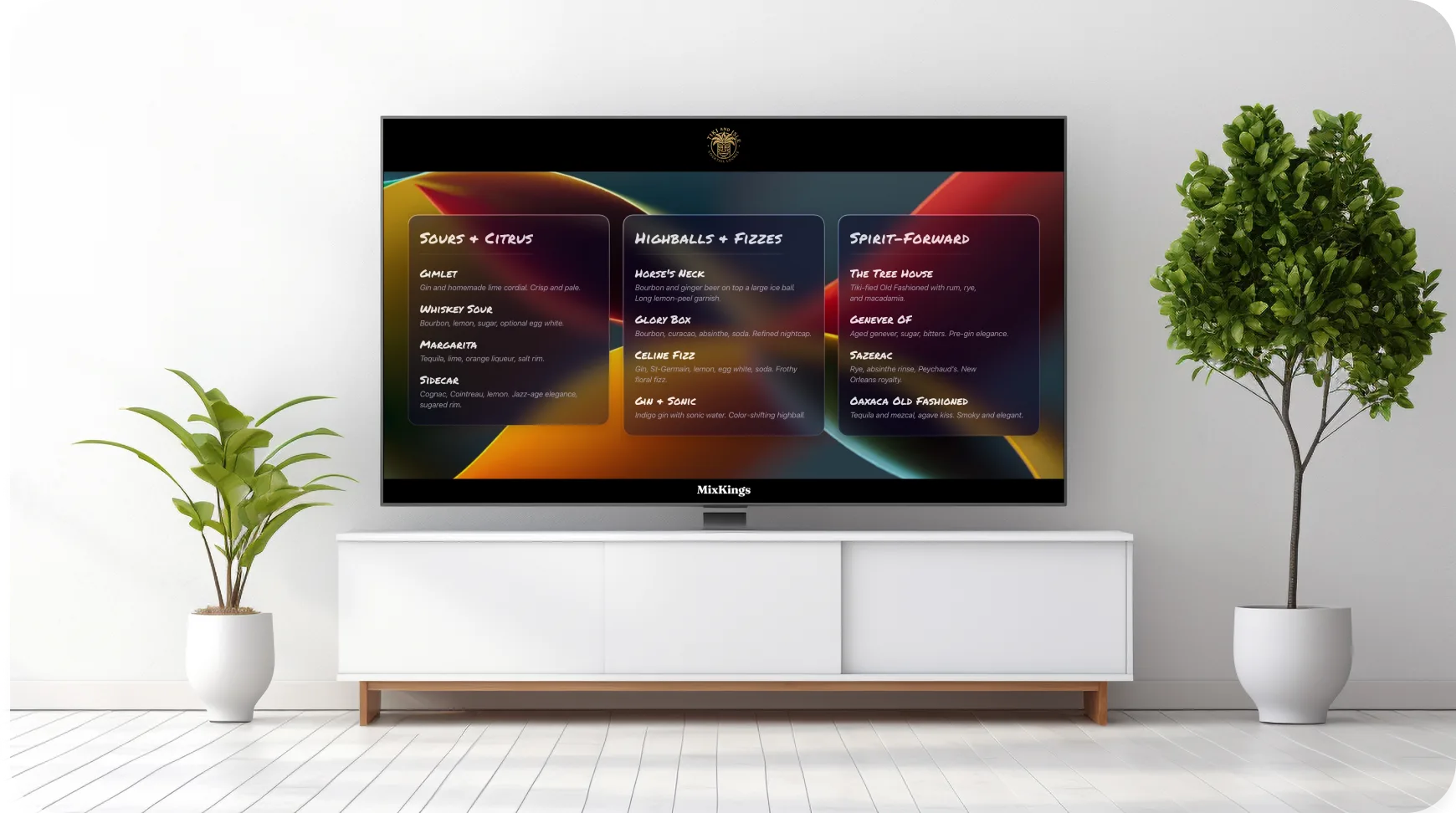
This is the detail guests talk about later. The biggest screen in the room usually plays background noise; make it the menu board instead. Tonight's drinks, styled like the boards at the cocktail bars you actually like, updating live as you tweak a recipe or 86 something you ran out of.
That's the heart of what MixKings does: build the menu on your phone, then pair with an Apple TV or Fire TV, cast to a Chromecast, or stand an iPad on the cart as the screen. Pick your fonts, colors, and background, with living motion if you want it. Setup takes about two minutes, and the getting started guide walks through every TV type.
Why it works: a visible menu answers "what can I get?" before anyone asks, sets the night's boundaries (you're pouring from the menu, not the whole cabinet), and makes the evening feel produced rather than improvised.
The finishing details
- Music at conversation volume. A bar's soundtrack fills silence without fighting talk.
- Water, visible and easy. A pitcher and cups by the bar means people actually pace themselves, which keeps the night long and good.
- Real food, not sad food. Something salty, something fresh, refilled before it empties.
- A zero-proof option on the menu itself, named and garnished like everything else. Our zero-proof guide takes this from gesture to genuinely good.
FAQ
What do I need for a home cocktail bar setup?
One dedicated surface arranged as a working station, basic tools (shaker, jigger, strainer), ice in a bowl, warm lighting, and a visible menu. The bottles matter less than the arrangement.
How do I display a drink menu at home?
Use the TV. With MixKings you build the menu on your phone and put it on an Apple TV, Fire TV, or Chromecast, or use an iPad as the screen. It updates live as you edit.
Do I need a bar cart?
No. Carts are charming but any cleared surface works. What makes it a bar is the arrangement: tools in front, bottles labels-out behind, ice ready.
MixKings is the cocktail app for people who host: build your menu, put it on the TV, and run the room like a bar.